

Are you looking for ways to enhance the user experience of your website and stay ahead of the competition? Converting your website to a progressive web app (PWA) could be the solution you need. In this article, we’ll discuss the essential steps and factors you need to consider for a successful conversion to PWA.
Switch to HTTPS for Better Service Worker Functionality
One of the primary requirements of a PWA is service workers, which allow your web app to work offline. However, service workers only work across secure connections. So, before you can convert your website to PWA, you need to add delivery layer security (TLS) and switch to HTTPS. This step ensures that your users can enjoy the full functionality of your PWA.
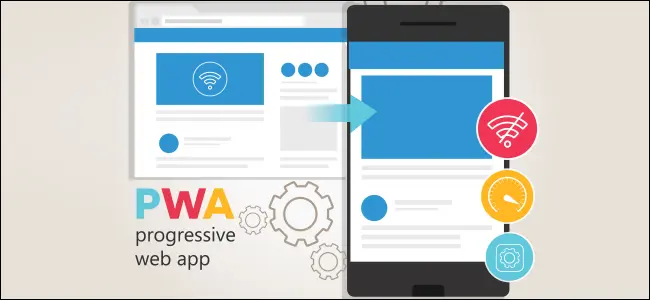
Adding Service Workers: Making Your PWA Work Offline
As mentioned earlier, service workers are an essential element of the conversion process to PWA. These scripts run in the background of your web app and can perform various tasks, such as caching resources, intercepting network requests, and delivering push notifications. By using service workers, your PWA can provide seamless offline functionality to your users.
Create a Web App Manifest for Centralized Metadata
In order to develop a successful Progressive Web App (PWA), it is essential for developers to create a web app manifest. This JSON file serves as centralized metadata for the web app or PWA, and includes crucial information such as the application’s name, links to images and icons, default launch URL, app configuration data, description, theme color, and display options.
If you’re looking to develop a PWA, it’s important to work with a Progressive Web App Development Company that understands the significance of a web app manifest and can help you create one that meets your app’s specific needs. By doing so, you’ll be able to ensure that your PWA is fully optimized for performance and user experience.
Testing Your Progressive Web App
After switching to HTTPS, adding service workers, and creating your web app manifest, the next step is to test your PWA thoroughly. Testing is crucial to ensure that your PWA is working correctly and providing a seamless user experience. You can use various tools and techniques, such as Lighthouse, to test your PWA’s performance, accessibility, and more.
How Progressive Web Apps Work
Progressive web apps use modern web technologies to provide an app-like experience to users. They use Cache API and Indexed DB for quick loading, Fetch APIs for easy data requests, and web app manifests to provide centralized metadata. PWAs also use HTTPS for security and service workers and push notifications for background tasks. By using these technologies, PWAs can provide an excellent user experience and high-performance web apps.
Conclusion
Converting your website to a progressive web app can provide numerous benefits to your users and your business. By following the essential steps and considerations outlined in this article, you can successfully convert your website to PWA and stay ahead of the competition. If you need assistance with PWA development, our dedicated web app developers are ready to help you. Contact us today to learn more.
Related services
Explore delivery options related to this article.